
Care plans
Goal-based care on a person, templates, resource groups, tracked links, previews, and contact logging.
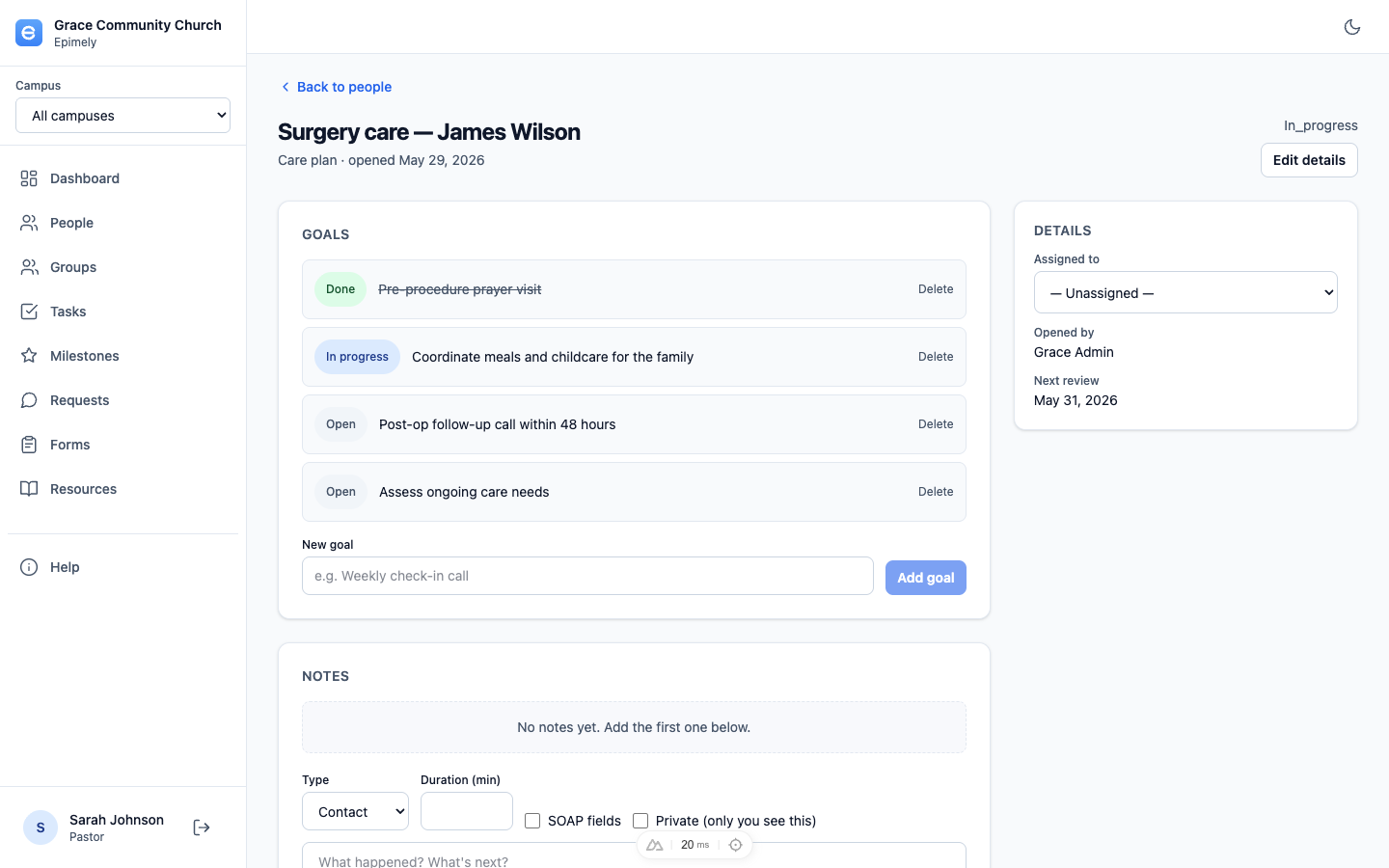
A care plan is proactive, ongoing care for one person. It has a title, status, assignee, review dates, goals, notes, template recommendations, and resource groups added during the plan.
Care plans live on the person page and open to a detail screen. Templates in Settings help your team start consistent plans for common situations.
How to
Start a plan
From a person page, click Start care plan. Choose an optional template, title, status, assignee, next review date, target date, and origin request when relevant.
Preview templates
In Settings -> Care-plan templates, use Preview to see the plan structure, default goals, and recommended resources before using or editing it.
Work goals
Add goals and advance each one from Open to In progress to Done. The person page shows plan progress by completed goals.
Use resource groups
From the plan detail page, add a Resource library group to attach a reusable package of resources to the plan. You can also create tracked links for the plan's person in the same action and copy them into an email or text message.
Use template recommendations
When a plan starts from a template, its recommended resources appear as template recommendations. These are separate from resources actively added to the plan through a resource group.
Log contacts
People assigned through care plans should have each contact documented with the Pastoral Care Contact Log form. Follow-up dates marked on the form create a linked task.
Tips
- Care plans can be reassigned from the plan detail page or through Queues when the same person has open work.
- Use resource groups for common packages such as grief follow-up, crisis response, or benevolence next steps.
- Private notes are visible only to their author.
Pastoral Care and above can create and work care plans, subject to person access rules.