
Resource library
Shared resources, reusable resource groups, tracked links to people, click analytics, and reports.
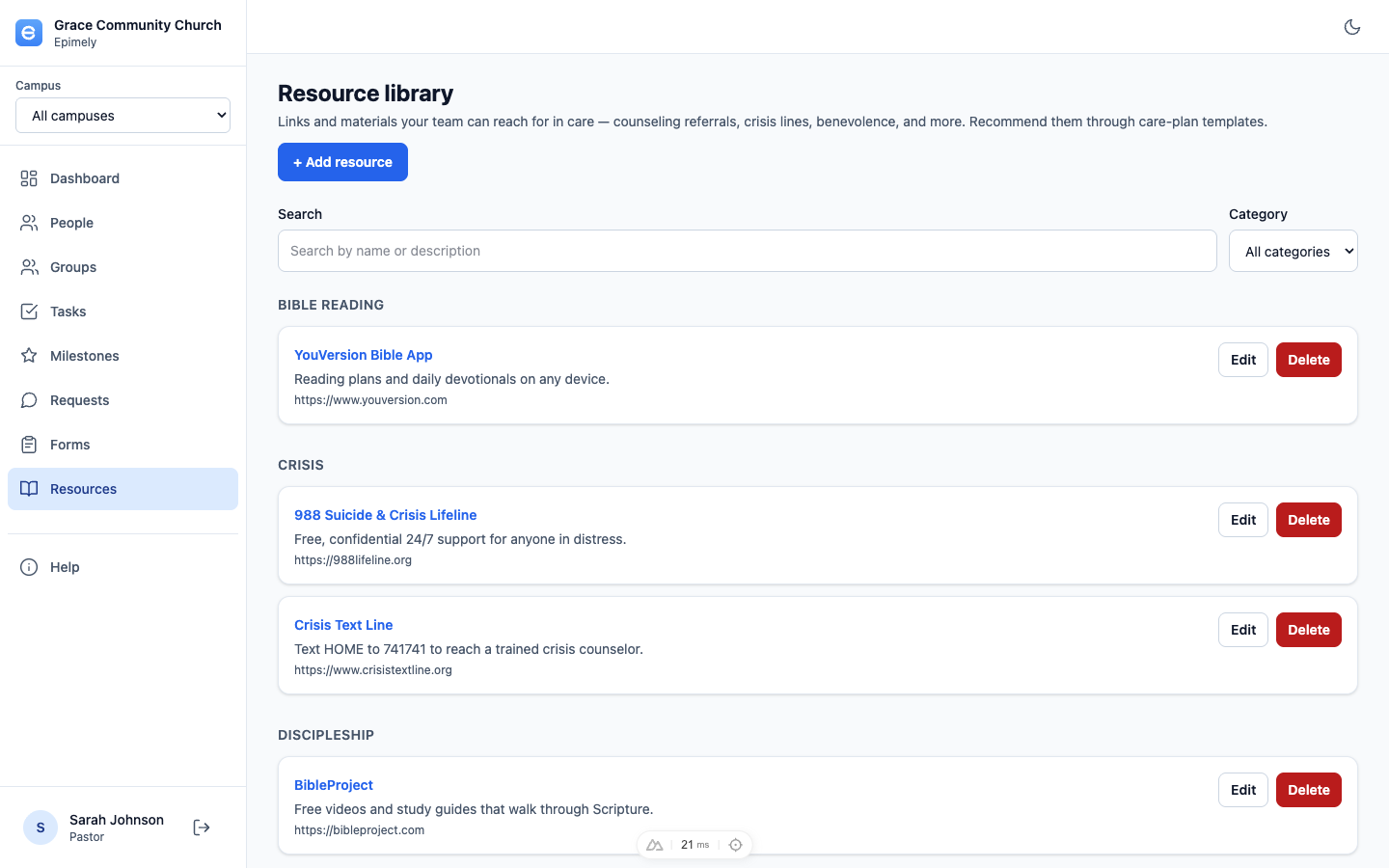
The Resource library is a shared set of links and materials your team can use in care: counseling referrals, crisis lines, benevolence resources, grief programs, devotional links, and more. Resource groups package several resources together for plan-based care.
Resources are reference material, not member PII, so every authenticated role can browse them. Care roles can add, edit, delete, and send tracked links.
How to
Find a resource
Search by name or description and filter by category. Resources are grouped by category for scanning.
Add or edit resources
Click Add resource to enter a name, URL, category, and optional description. Use Edit or Delete on existing resources when your role allows it.
Create resource groups
Use New group to combine one or more resources into a reusable package. Groups appear on care-plan detail pages so staff can add the package to a plan and optionally create tracked links for the plan's person.
Send a tracked link
Click Send link on a resource, search for a person, and create an Epimely tracked link. The public URL redirects through /resource/:id to the actual resource and records the click.
Review link tracking
Tracked resource clicks show in the resource library and can be included in reports so the team can see whether a person opened a resource.
Use resources in templates
Attach resources to care-plan templates so they appear automatically as recommended resources when a plan starts from that template. Use resource groups when the team wants to add or send a package during an active plan.
Tips
- Tracked links should be person-bound so clicks can connect to care history.
- Resource groups do not duplicate resources; they are reusable packages pointing at the same library records.
- Queue Managers can browse and open resources but cannot change the library. Viewers are limited to the anonymous request queue.
Everyone can browse resources. Adding, editing, deleting, and sending tracked person links are for care roles with write access.