
Dashboard
Daily overview, upcoming milestones, overdue tasks, recent activity, and version history.
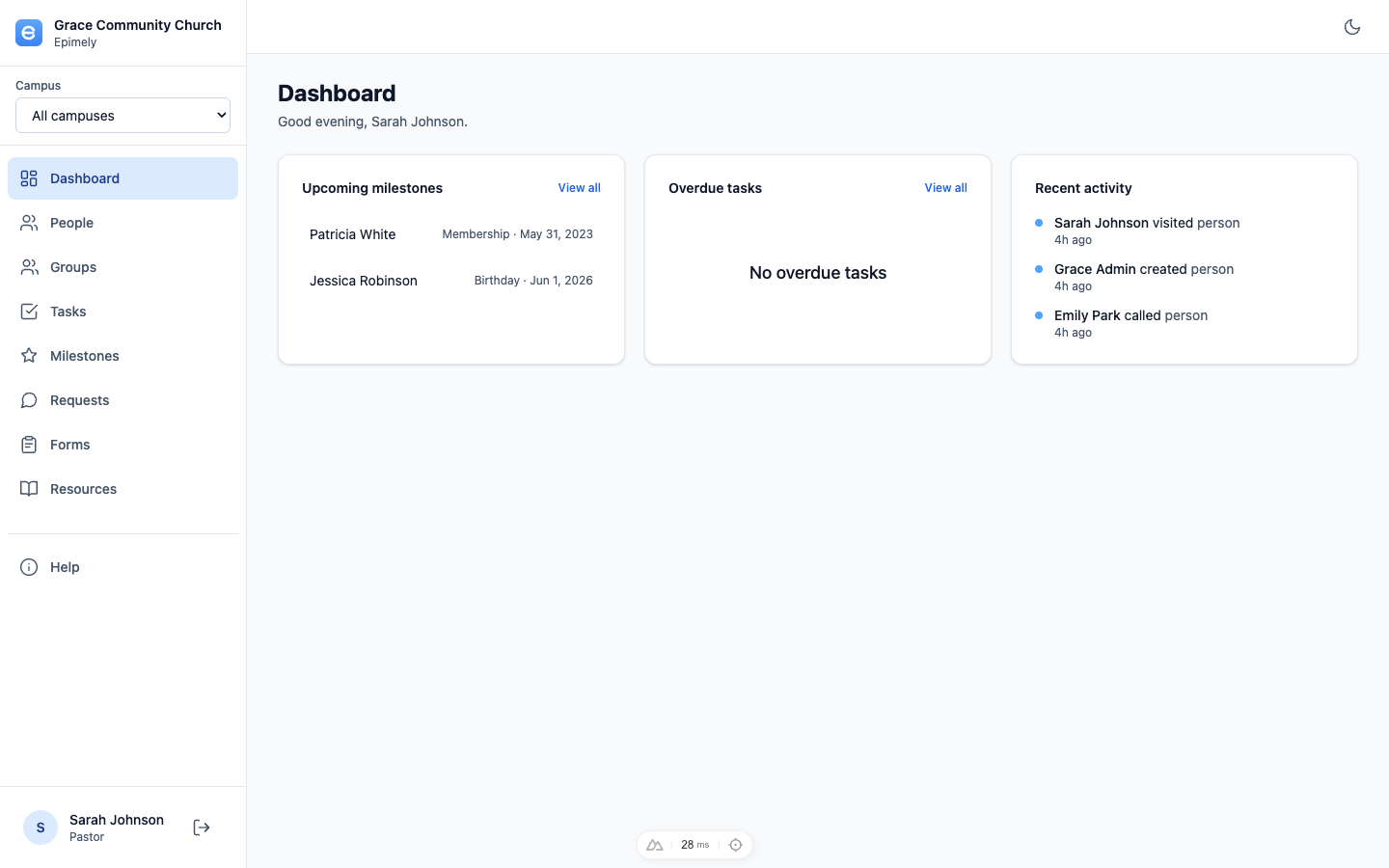
The Dashboard is your starting point after sign-in. It summarizes the care work most likely to need attention today and shows recent activity across the church within your access scope.
It also shows the current Epimely version and recent release notes so every tenant can see what changed without hunting through deployments or commits.
How to
Review upcoming milestones
Upcoming birthdays, anniversaries, baptisms, and other milestones appear without exposing a birthday year on the Dashboard. Open the Milestones page to see the wider list.
Work overdue tasks
The Dashboard highlights overdue tasks assigned within your scope. Use View all to open the Tasks page.
Check recent activity
Recent activity shows care work your role can access, helping the team stay coordinated.
Read what changed
The Current version panel lists the live SemVer version and release history. The large version pill was removed so the panel stays quiet and readable.
Tips
- If overdue tasks or upcoming milestones are empty, that is usually good news.
- Request and task sidebar badges show when new requests or overdue tasks need attention.